Kitchen operations software
Operational control across the kitchen.
Brigade brings section ordering, stock checks and mise en place into one system. Head chefs gain a current view of the operation while each team member retains a clear working list.
£49.99/month for the whole kitchen · no per-user charge
Kitchen overview
The head chef sees the operation, not a collection of messages.
Requests, preparation progress and stock updates remain connected to the relevant kitchen section. Management can review what is happening in real time without replacing the team's established responsibilities.
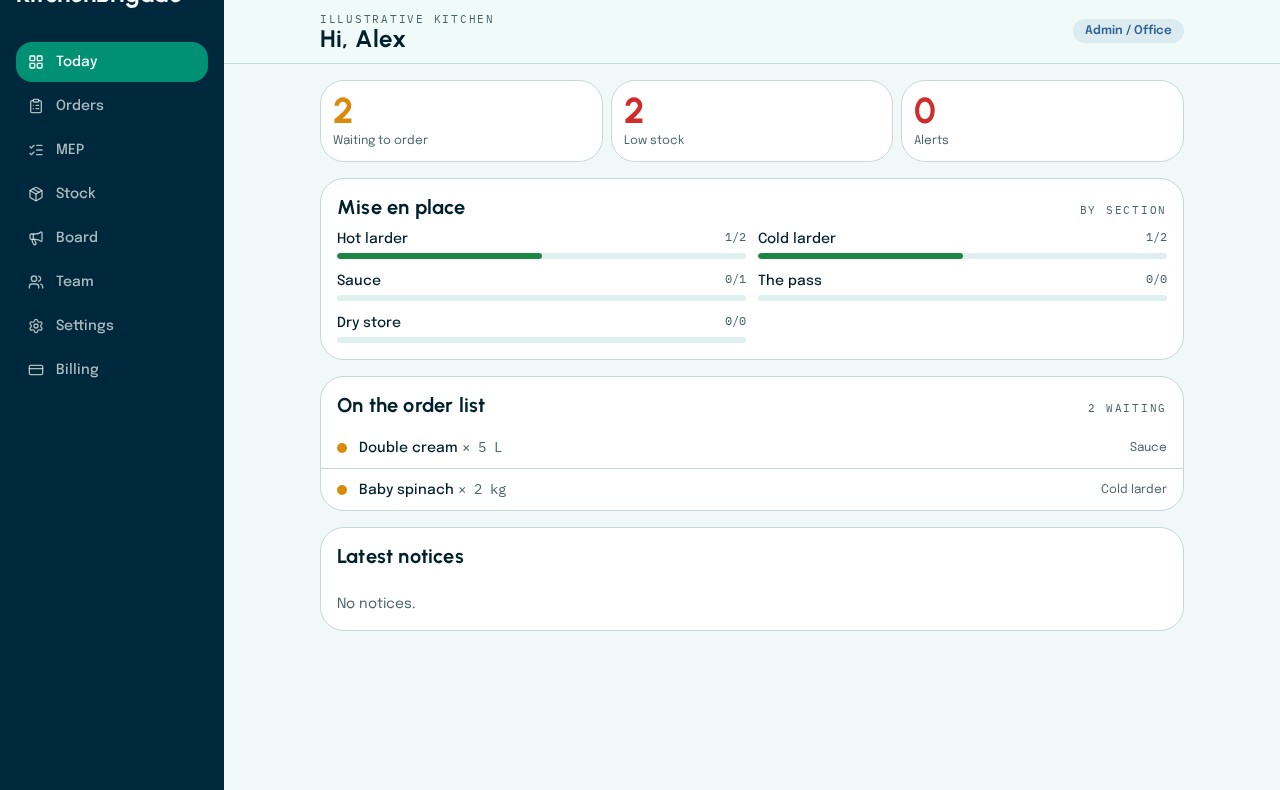
The head chef’s daily overview
Outstanding orders, low stock and section preparation progress appear together in the Today view.
Current app · fictional kitchen data
Product
A working system for the daily kitchen cycle.
Purchasing control
Review the full request picture before ordering.
Repeated item names across sections are grouped for review. Managers can compare those requests with the latest stock level, then retain or consolidate them with an attributable decision.
- Originating section remains visible
- Current status shared with the team
- Delivery and part-delivery tracking
- Duplicate requests reviewed before ordering
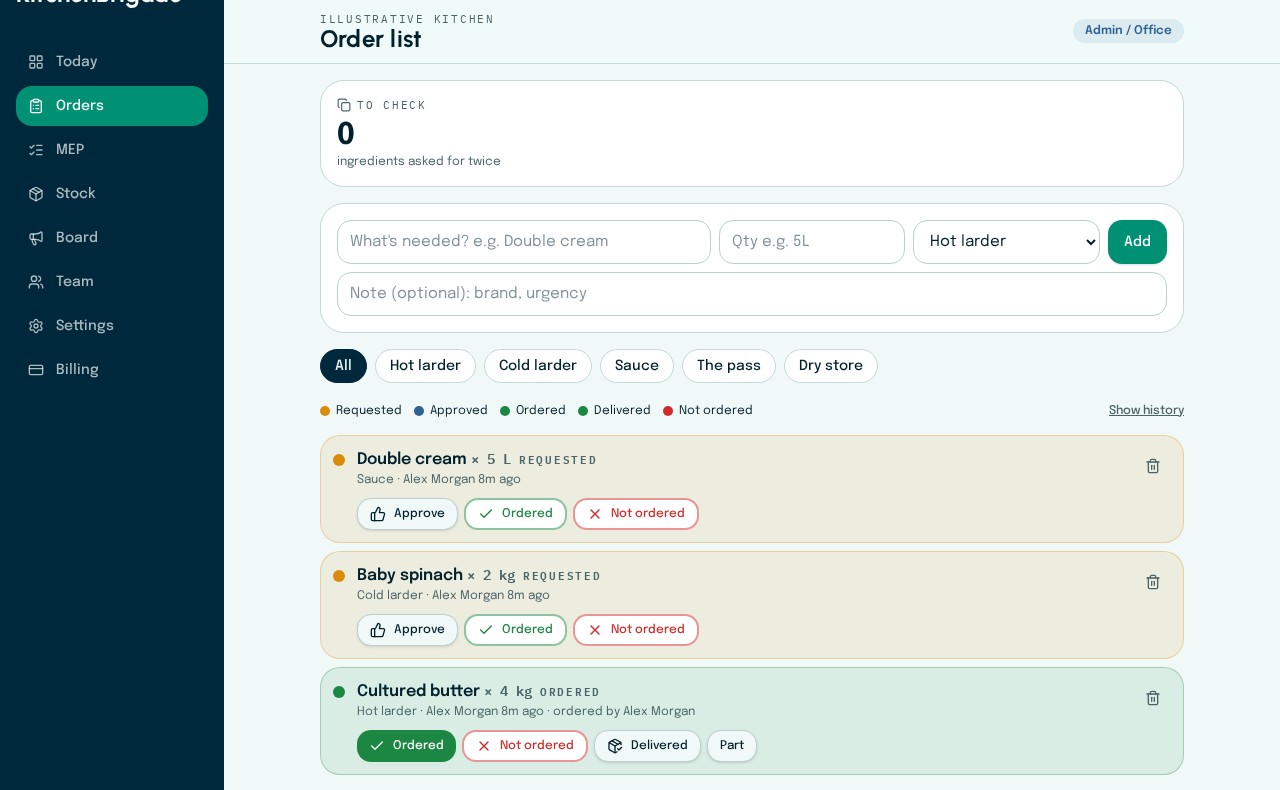
Order review
Requests retain their section and requesting person. Management records ordering and delivery decisions in the same list.
Current app · fictional kitchen data
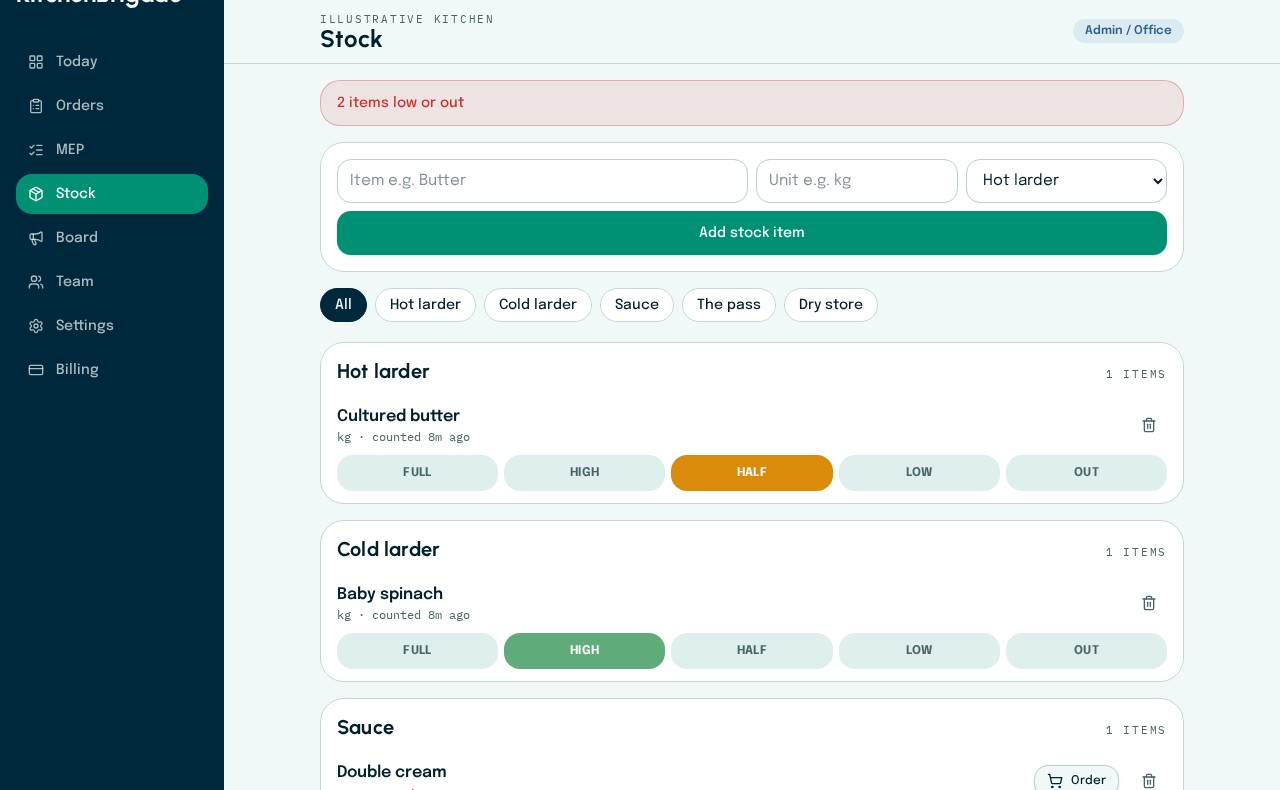
Section stock checks
Each section records Full, High, Half, Low or Out. Low items can move directly to the order list.
Current app · fictional kitchen data
Section stock
Daily checks designed around how kitchens are organised.
Each section maintains its own view of items held in the walk-in, fridge or storage area. Five simple levels — Full, High, Half, Low and Out — make the end-of-day check quick enough to keep current.
See section stockMise en place
Named preparation responsibility, visible in real time.
Create a task such as pea soup, place it within the relevant section and assign it to a team member. Assignment and completion remain separate, giving the head chef a more accurate view of responsibility and progress.
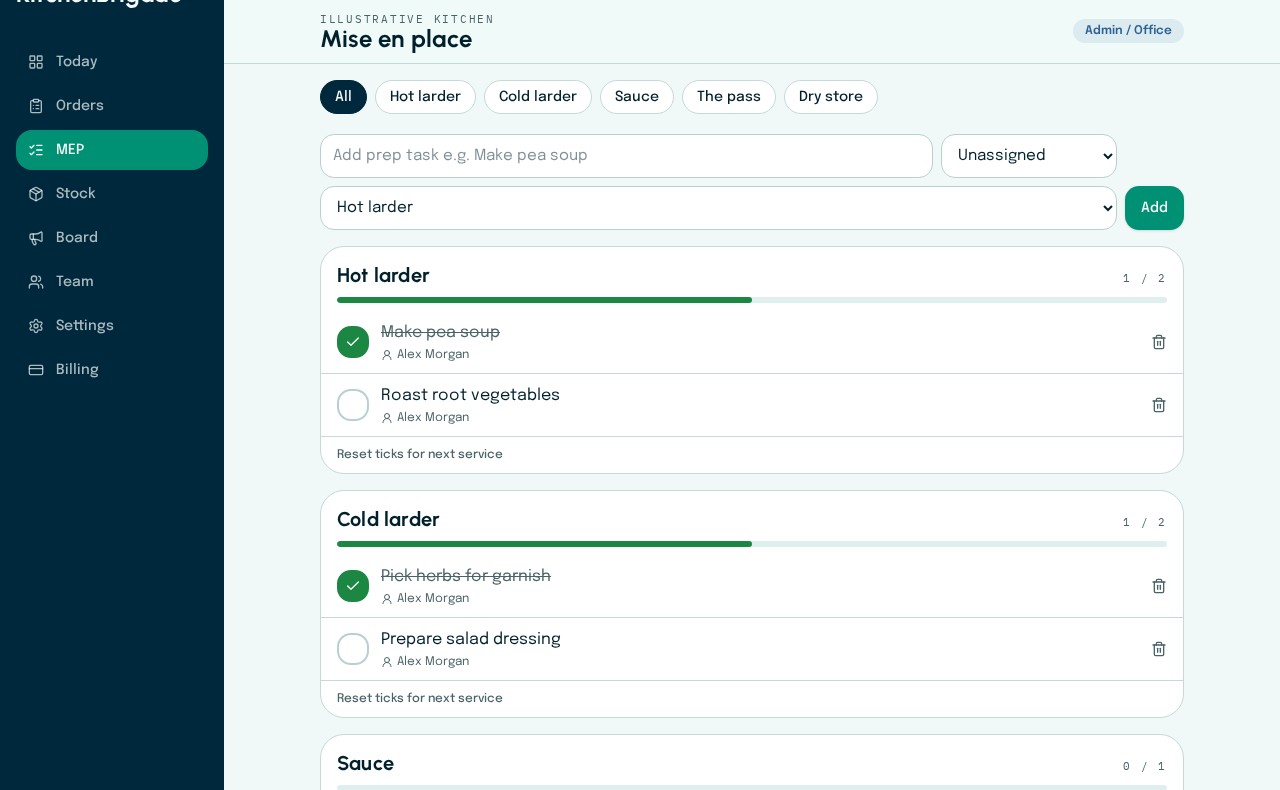
Named preparation tasks
Preparation is organised by section, assigned to a teammate and checked off independently when complete.
Current app · fictional kitchen data
Product walkthrough · 70 sec
See the current interface.
The software remains the primary visual evidence. This walkthrough uses illustrative kitchen data and reflects the present product experience.
Explore every workflowIndustry context
The operating case for better kitchen information.
These are external sector findings and are not presented as measured Brigade customer outcomes.
Access aligned to kitchen responsibility.
Admins, head chefs and cooks receive different controls. Ordering decisions remain with management while chefs retain visibility.
The whole kitchen is included.
One subscription covers the kitchen team. New members join through a personal, time-limited email invitation.
Daily records remain available.
Managers can download operational spreadsheets for orders, stock and preparation from Settings.
For independent restaurants
Assess Brigade against your own kitchen operation.
Start the monthly plan with 30 days free, or contact Brigade to discuss your workflow first.